 EN
EN
 AR
AR
 HR
HR
 NL
NL
 FR
FR
 DE
DE
 IT
IT
 JA
JA
 PL
PL
 RU
RU
 ES
ES
 SV
SV
 TL
TL
 ID
ID
 LT
LT
 SR
SR
 SK
SK
 UK
UK
 VI
VI
 MT
MT
 TH
TH
 TR
TR
 FA
FA
 MS
MS
 GA
GA
 AZ
AZ
 KA
KA
 LA
LA
 MN
MN
 MY
MY
 KK
KK
 UZ
UZ
 KY
KY
 LB
LB


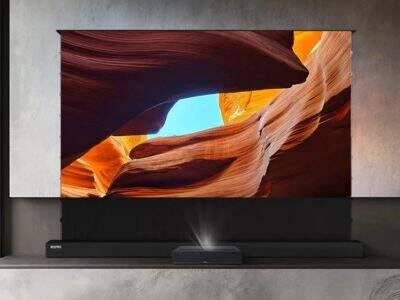
Choosing the best projector is hard there are many available on the market. However, two of the most used are Google TV projector and Android projector since they both help you and watch movies and people using them by showing their movies on a bigger screen.
Introduction
When comparing Google TV projectors vs Android projectors, consider your expected purpose. If you’re looking for an easy way to watch a happy hour’s worth of any Google TV show and then some, this is likely the best option. It features an easy-to-use interface that allows you to find videos fast. With voice commands, you can effortlessly search for movies or shows.
About us
If you're on the hunt for Google TV projector deals, WUPRO has what you want. Our business provides good value for money on high performance quality projectors. Special deals and discounts can help you nab the projector of your dreams. Begin by looking at what you can find online in the way of bulk deals or wholesale. Bulk buying often costs less per unit. You might also try seasonal sales or promotions that are going on.
How Do Google TV Projectors Improve Your Watching Experience
Google TV projectors, such as models from WUPRO, serve to make moving watching more enjoyable and easier. These projectors have Google TV – a smart system that guides you to your favorite videos. One of the best things about Google TV projectors is that they are connected to the internet. That’s because you don’t need any extra devices to stream movies, shows and even video from services like YouTube.
Common Problems in Using Android Projectors
Android projectors are very enjoyable, but sometimes they have to deal with issues that make using them seem a little complicated. So, the first thing to check whether there is a problem that won’t be able to connect to the internet. The projector can freeze or not load videos at all if the Wi-Fi signal is weak. This projector screen and projector can be particularly irritating if you’re looking to watch a movie.
What Can You do If Google TV Projectors Common Problems Occur
There is something very simple that you can do to resolve problems with a WUPRO Google TV projector. First off, if your projector is not connecting to Wi-Fi, ensure you have access to the internet. You can confirm this screen projector screen by attempting to connect another device, such as a tablet or phone, to the same Wi-Fi network with which you are pairing your music system. If that does the trick, try doing it entirely over again power down the projector and then turn it back on.
Conclusion
If an app isn’t behaving buy cheap in canada itself, you might need to update it. Jump to your projector's app store and see if any updates are available. If a Projection screen and projector particular app is crashing, you can try reinstalling it. Lastly, if you are finding the remote control giving off mixed signals, then take a few minutes to read through the owners guide that came with your projector. It will let you know what each button does.